INVENTORY CONTROL – Stock control software
Get in control of your stock with Wasp Inventory Control – the complete stock control solution for small business. Increase the value of your business, satisfy your customers and create more freedom in your life with Wasp Inventory Control.
Have you ever experienced:
- the financial impact of an stock write off?
- the embarrassment of calling your customer back when you can’t actually deliver the product?
- the wasted time searching for stock you know you have (but can’t find)?
- the loss of sales when you’re out of stock?
These and other stock related problems are frustrating, are financially stressful and have a direct impact on your ability to succeed. Now, Wasp Inventory Control provides all the capabilities you need to track your stock without the complexity or expense of a big system. Easy. Efficient. Affordable.
From individual contractors to larger operations with multiple locations, Inventory Control will help you. It’s ideal for:
- warehouses
- light manufacturing and distribution centers
- retailers
- stock rooms & supply closets
- stock-carrying mobile trucks, ships or containers
- installation contractors or any business that buys, stocks and sells parts and products.
Define multiple sites (a warehouse, truck fleet, stock room, or even a installation truck such as a TV or satellite installer) with multiple locations (a bin, shelf, or even a pallet within the location). It’s a snap to track your stock by location, by serial number, lot or any combination of the numerous ‘track bys’.
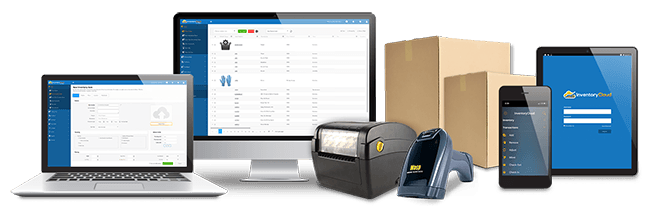
Easily create barcode labels with Wasp Inventory Control. Print barcode labels or stock tags with different symbologies or data from the Inventory Control database. Easily attach them to stock items, physical locations or pallets.
This ready-to-use stock control solution includes:
- Inventory Control software Standard (Std.) version
- 1 PC user license
- 1 mobile device license (mobile device available separately)
- Integrated full version of WaspLabeler (barcode labeling software)
- Free, unlimited technical support for the life of the product
System Requirements
- Windows 2000, XP, Server 2003 or Vista
- Pentium 4 or better processor
- 512 MB RAM minimum
- 1 GB of available hard disk space
- 1024x768 monitor resolution and minimum of 256 color
- CD-ROM drive
Mobile Device Requirements
Windows Mobile or Windows CE (Palm OS is not supported)
- Windows® Mobile Requirements
- Windows Mobile 2003 or later
- 64MB of RAM
- Windows® CE Requirements
- Windows CE 4.2 or higher
- 64MB of RAM
Benefits
- Maintain current stock counts
- Increase sales due to improved responsiveness to customers and distributors
- Reduced write-downs/write-offs
- Reduce stock outs and overstocks
- Reduce labor costs
- Know where all stock is located, onsite or offsite
- Track the cost of your stock
Features
Wasp Inventory Control offers a wide range of stock control capabilities that allow you to effortlessly:
Track Stock
- Track stock at multiple locations and sites
- Track stock by site, location, serial number, PO number, supplier code, date code, lot, pallet, customer
- Move stock from one site to another
- Maintain detailed supplier information and establish a supplier code
- Tie new stock entries to the supplier code
- Maintain the average, list, and sales cost of stock items
- Check items in and out, identify who has them and when they are due for return
Print Barcode Labels for Shipping, Products or Location Tags
- Create, customize, and print barcode and data labels with the integrated labeling software
- Attach labels to items, sites, locations, or documents
Fast and Easy to Use
- Import existing stock and suppliers using the Import Wizard
- Navigate using Inventory Control’s user-friendly interface
- Customize your forms to present only the information that is important to your business. No programming is required.
- Comprehensive help documentation shows the features and use of each screen
Review Quantities
- View critical count levels, such as total available, total checked out, total in house
- Establish reorder quantity levels for specified stock items at specified locations
- Adjust stock counts using the Adjust Inventory feature
- Easily remove counts from an existing item using the Remove Inventory feature
Audits and Cycle Counts
- Quickly perform audits with a mobile device to ensure 100% accurate stock
- Easily conduct monthly/quarterly cycle counts
Create New Stock Items
- Create a new item number by scanning, typing, or selecting a number from a drop-down list
- Identify new items by any number system, such as SKU, UPC, barcode, or serial number
- Set up the system to auto enter a serial number for each new item and establish a starting number
- Once a stock item has been set up in the system, use a scanner to add new stock
- Assign managers for specific stock items
- Set up the system to require information for new items, such as a Lot, PO, or Supplier and disable unnecessary fields
- Establish measurement units for tracking item quantities by pallet, box, container, gallon, and more
- Link files to the stock item (e.g., an image or specification file)
Access Information Instantly and Securely
- Find critical data quickly using Inventory Control's advanced find feature
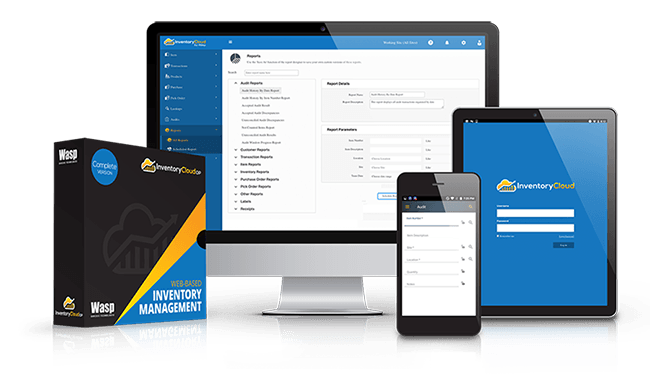
- Over 30 pre-built reports
- Protect your stock data with user-level security
- Includes Microsoft® SQL Express database
Wasp Inventory Control Mobile (Handheld) Features
- Add and remove stock in seconds
- Move stock from one location to another
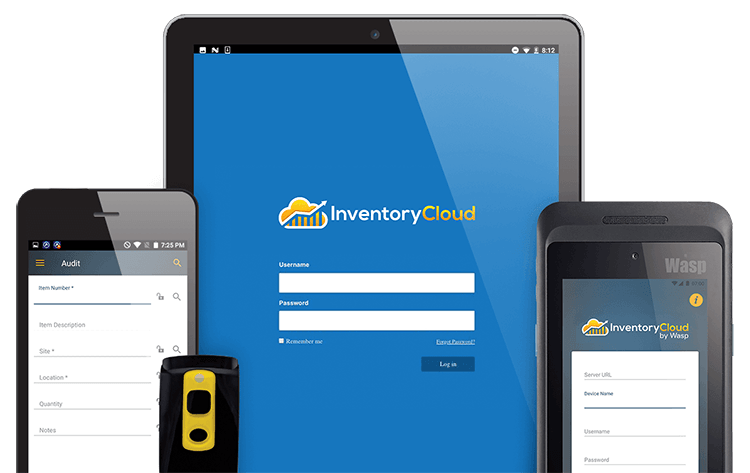
- Scan data into Wasp Inventory Control for fast, error-free input using a Wasp mobile device, Pocket PC device, or Windows Mobile device. (NOTE: Hardware NOT INCLUDED with the software only package)
- Search your stock by item number or description
- Use the quick find function to locate stock
- Simply input the first few numbers or letters of your item and find it in seconds
- Use the audit feature to easily perform periodic stock counts