
WaspLabeler v6 – Barcode Label Design Software
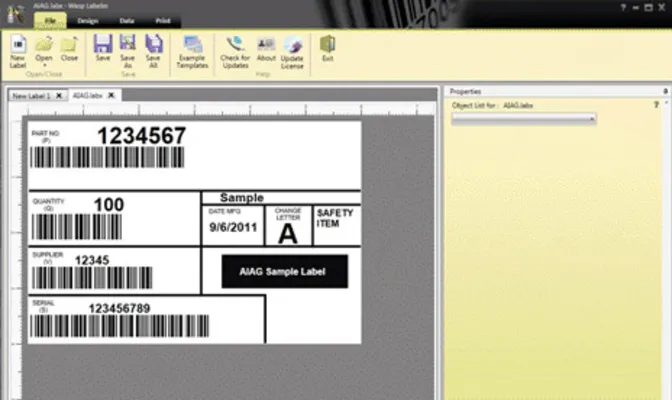
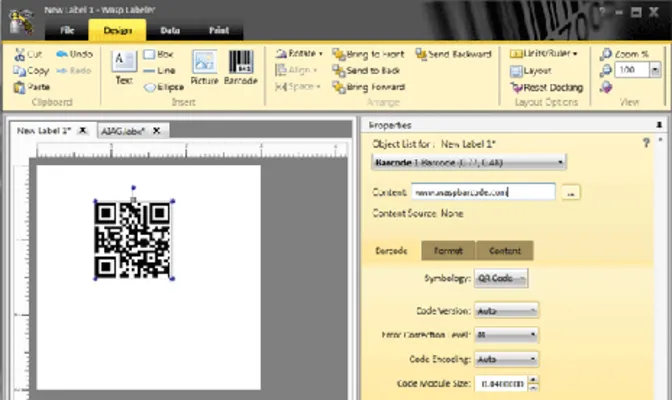
Wasp Barcode Technologies is the leader in the barcode software industry, and WaspLabeler barcode software is the best selling barcode label design software in the world! WaspLabeler v6 makes creating barcode labels a snap. Manually input or easily connect to an external data source to obtain your label data. With WaspLabeler's thoughtfully designed Wizard interface, you can quickly create inventory, asset, shipping, and many other labels. WaspLabeler now includes RSS and ISBN barcode symbologies.
System Requirements
PC System Requirements
- 32-bit or 64-bit version of:
- Windows 7
- Windows Vista
- Windows XP (SP3)
- Windows Server 2003
- Windows Server 2008
- Pentium 4 or better processor
- 512 MB RAM minimum (1 GB recommended)
- 2 GB of available hard drive (10 GB recommended)
- 1024 x 768 resolution and 16-bit high color or better
- CD-ROM Drive for software installation
Benefits
- Quickly create and print standard or custom inventory, asset, shipping, and many other type of labels
Features
- Includes over 100 label templates
- Supports proprietary thermal printer languages (with ZPL & EPL thermal printer language option)
- Advanced graphic resizing and image rotation
- Create shadow books
- Create compliance labels
- Import existing files
- Serialize copies and labels with auto increment/decrement
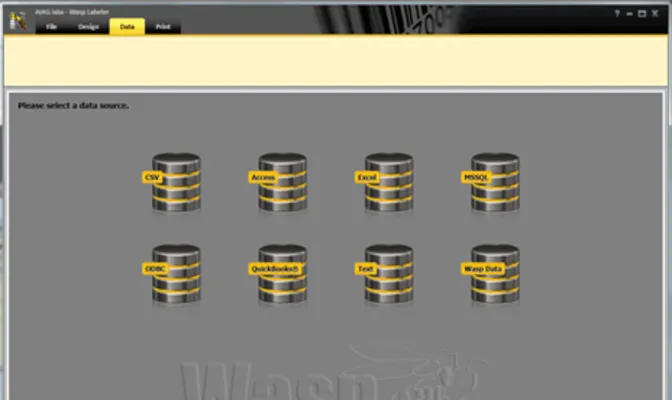
- Connect to any ODBC database. Ability to import data natively (i.e., without an ODBC driver) from Microsoft Access, Microsoft Excel, Paradox, dBase, plus others. (Ability to sort and filter data records)
- View data at design time
- Export barcode as an image
- Combine data from multiple tables
- Enhances serialization by serializing numbers/auto increment, alphabetic and user defined lists
- Set password on command line for access databases
- Key Search on EDS
- Keeping sort/filter on DataSource change
- Save working directory for label, image, and EDS files
- Supports Wasp printer language (WPL)
- WaspLabeler supports the most popular barcode symbologies including:
- Code 39
- Code 93
- Code 128
- UPC-A
- UPC-E
- EAN/JAN-8
- EAN/JAN-13
- Interleaved 2 of 5
- Codabar
- MSI Plessey
- PostNet
- UCC 128
|
- ISBN
- RSS14
- RSS14 Truncated
- RSS14 Limited
- RSS14 Stacked
- RSS14 Stacked Omni-Directional
- RSS Expanded
- MicroPDF417
- Code 128 A
- Code 128 B
- Code 128 C
- ITF14
|
2D Features (sold as an upgrade)
- Prints the most popular 2D barcodes — PDF417, micro PDF417, MaxiCode & Data Matrix
Download a fully functional version of one of the Wasp Barcode Technologies
software products for 10 days. To download the program, fill out the
online form and follow the online instructions. An installation key will be
sent to you via email. Download speeds vary depending upon your computer
speed. Should you decide to purchase the product, call sales at 0845
430 1971 to purchase an activation key. The installation and setup of the program
as well as the work you have completed using the software will be retained
on your system. Note: The Demo program comes with an UnInstaller
to completely remove the program from your system at a later date if necessary.


Get the latest patches and updates

WaspLabeler TUTORIALS MAKE
GETTING STARTED Easy and Painless!
To help make getting started and using your Wasp product as easy as possible, Wasp has created an informative series of tutorials which will help you get started quickly and painlessly.
- What is WaspLabeler?
- Barcodes & symbologies
- Where do I start?
- Label printer setup
|
- Label formatting
- Serialized barcodes
- Custom label format
- Prompt at print time
|