Asset Management Software - MobileAsset v6

Introducing MobileAsset v6

The latest version of MobileAsset offers exciting new features and enhancements designed to make managing your assets easier than ever.

Mass update allows you to instantly add or update information for a group of assets – eliminating time-consuming, individual changes to asset records. Improve efficiency by printing asset, location and employee tags directly from lists. Ensure data integrity with enhanced security, including site-level asset visibility and department-level security settings.


With MobileAsset v6, you can pinpoint an asset’s location to-the-minute, with the ability to set a due-time, in addition to due-date. The newest version of MobileAsset also supports check-out with no due date, ideal for assets like PCs that will be indefinitely assigned to an employee.    


Wasp MobileAsset v6 is available in Standard, Pro and Enterprise editions.


Wasp MobileAsset v6


Wasp MobileAsset v6 Standard and Pro Highlights

New features available in MobileAsset Standard and Pro include:


Mass Update

Rapidly update asset records for a group of items using mass update.


Custom Filters

Create, share, and save custom filters for data lists to ensure that the information you need is instantly accessible.


Enhanced Security

Manage user security levels easily by group or department.


MobileAsset v6 Enterprise Highlights

MobileAsset Enterprise includes all of the features in the Standard and Professional editions, plus multi-tenant capability. Enterprise also offers unlimited PC user licenses, 5 mobile device licenses, and can be installed on your organization’s Microsoft SQL server.


Multi-Tenant
Easily manage assets in multiple companies or organizations with MobileAsset Enterprise. Asset data is securely stored in a separate database for each organization, and can be accessed instantly.


Features in MobileAsset v6

MobileAsset v6 & NEW features

  Instantly update a group of assets using mass update
  Create, save and share custom filters for lists
  Add a hyperlink to an asset record
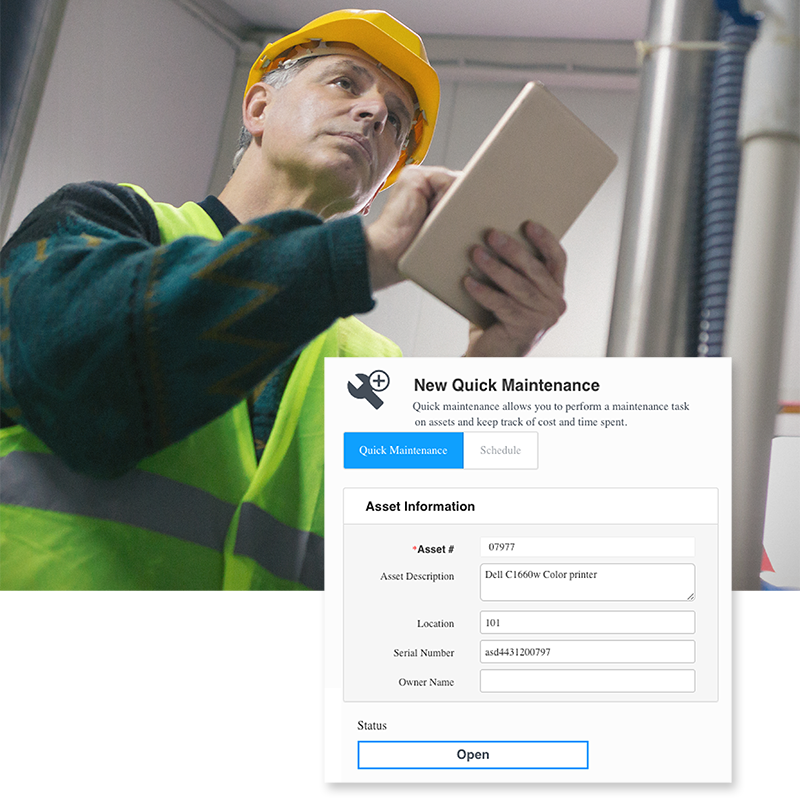
  Track asset maintenance cost
 

Implement multiple maintenance schedules for assets

  Manage user security by group or department
  Allow asset check-out with no due-date
  Transfer a checked-out asset to a different user
  Establish due-date and due-time when checking assets out
  Print asset tags, employee badges and location labels from asset, employee and location lists
MobileAsset v6 NEW features

Includes all of the features available in MobileAsset Standard and Pro, plus:

  Track and manage assets for multiple companies using multi-tenant feature
  Includes Microsoft® SQL Express Database
MobileAsset v6 Screen Shots


Click to see sample screen shots


Version Comparison

  Features Standard Professional Enterprise
  Check assets in or out to customers and employees
  Assign due-date and due-time when checking out assets
  Track assets by site, location, department, item & serial number
  Move items by location, department, purchase order or custom filter
  Attach any type of file to an asset - pictures, warranties, user manuals, and more
  Easily import and export data using the Import/Export Wizard
  Create asset tags, barcode labels and employee badges  
  Streamline data entry by pinning fields on your PC or mobile device
  Capture purchase order, invoice & warranty details, and asset cost
  Track book value of assets by company or department
  Schedule maintenance for assets - execute from a PC or a mobile computer   
  Supports Windows® Mobile 2003 or later and CE 4.2 or higher
  Audit assets on the PC or a mobile computer
  Create, save and share custom filters for lists
  NEW! Department-level security allows you to implement group settings
  NEW! Instantly update asset information for a selected group of items using mass update
  20 Custom tracking fields
  Includes Microsoft® SQL Express database   
  Powerful management reports 48 52 52
  Depreciation methods/options 1 5 5
  Number of PC user licenses included 1 5 Unlimited
  Number of mobile computer licenses included 1 1 5
  Networking ability  
  Kit/link multiple assets to one parent asset  
  Manage company software licenses  
  Manage company contracts associated with assets  
  Receive notification of scheduled maintenance & checked-out assets past-due  
  NEW! Manage assets at multiple companies    
  Ability to install MobileAsset on Microsoft SQL server    


Save up to 50% when you upgrade to MobileAsset v6 before May 31, 2010!

Prices listed below reflect discount.

Upgrades to MobileAsset v6 Standard

  MFG#   Product description   Price   Add
633808500313

Upgrade WaspNest To Mobile Asset v6 Standard

£129.00

633808500276


Upgrade Std to Mobile Asset v6 Standard (Std)

Upgrade Mobile Asset v4 or v5 Std to
Mobile Asset v6 Std

£129.00


Upgrades to MobileAsset v6 Pro

  MFG#   Product description   Price   Add
633808500320 Upgrade WaspNest to MobileAsset v6 Pro £849.00

633808500283


Upgrade Std to Mobile Asset v6 Professional (Pro)

Upgrade Mobile Asset v4, v5 or v6 Std to
Mobile Asset v6 Pro

£595.00


633808500290


Upgrade Pro to Mobile Asset v6 Professional (Pro)

Upgrade Mobile Asset v4 or v5 Pro to
Mobile Asset v6 Pro

£395.00


Upgrades to MobileAsset v6 Enterprise

  MFG#   Product description   Price   Add

633808523732


Upgrade Pro to Mobile Asset v6 Enterprise (Ent)

Upgrade Mobile Asset v4, v5 or v6 Pro to
Mobile Asset v6 Ent

£1,295.00


633808500306


Upgrade Ent to Mobile Asset v6 Enterprise (Ent)

Upgrade Mobile Asset v4 or v5 Ent to
Mobile Asset v6 Ent

£649.00


633808523725


Upgrade Std to Mobile Asset v6 Enterprise (Ent)

Upgrade Mobile Asset v4, v5 or v6 Std to

Mobile Asset v6 Ent

£1,949.00


Support Center

Here’s the center for all your Wasp support needs and questions. Access to technical support, downloads, and knowledge base; information on returns, shipping & payment options, product registration and warrantee policy.


Ask Us A Question

Need just a little more product information? Or help finding what you are looking for? Send an email to a knowledgeable Wasp representative and receive an email response.


WaspCatalog™

Not sure what product solution you need?  Or just doing some initial information gathering?  Get the FREE WaspCatalog™ – it’s a terrific source of information that will help guide you to your final solution.


WaspSBIC™

The Wasp Small Business Information Center (SBIC) is the resource center for small businesses.  Here, you will find almost 100 valuable links that will help you successfully start and profitably grow your small business.